

Are you wondering about staying connected while navigating the bustling Miami International Airport? It’s a common concern for travelers today, especially with long layovers or last-minute flight changes. Accessing Wi-Fi can make a significant difference, whether you’re trying to catch up on emails, stream a show, or keep in touch with loved ones.
Understanding the available options can help enhance your travel experience. While many airports offer various internet services, knowing the specifics can save you time and frustration. So, what’s the deal with Wi-Fi at Miami Airport? Let’s dive in and explore your choices!
Free Wi-Fi Coverage Across All Miami Airport Public Areas

Miami International Airport offers free Wi-Fi access across all its indoor public areas, making it convenient for travelers whether you’re catching a connecting flight or waiting during a layover.
If you’ve been wondering, “Does Miami International Airport have free Wi-Fi?” the answer is yes.
The free Wi-Fi, available under the network name MIA-WiFi, covers all terminals, departure gates, and baggage claim areas. This means you can stay connected while navigating the airport. To access the network, you’ll need to either watch a brief advertisement or accept the terms of service.
In terms of performance, the Wi-Fi service provides download speeds averaging between 50 to 100 Mbps. This level of connectivity allows you to easily check flight updates, browse the web, or stay in touch with family and friends without any hassles.
How to Connect to Miami Airport’s MIA-WiFi Network Step-by-Step
To get started, first, enable your device’s Wi-Fi and scan for available networks. Look for “MIA-WiFi” in the list and tap to connect.
Once you’re connected, open any web browser on your phone, tablet, or laptop. You should see the airport’s registration portal pop up automatically. If it doesn’t, try refreshing the page or navigating to any website to bring up the welcome screen.
Once you’re connected, you can enjoy the internet while you wait for your flight.
Enable WiFi Adapter First
Enable Your WiFi Adapter First
To access Miami Airport’s complimentary internet service, it’s essential to ensure that your WiFi adapter is turned on. This is a common oversight for travelers, especially when in a hurry.
For smartphones, simply swipe down to open your control center and check that the WiFi icon is active. On laptops, look in the system tray or your settings menu to confirm that the WiFi adapter is enabled.
Keep in mind that many devices automatically disable WiFi when in airplane mode, so if you’ve recently landed, you’ll need to manually switch it back on.
Verifying that your WiFi adapter is enabled is a crucial first step that can save you from unnecessary troubleshooting later.
Once your adapter is active, your device will start searching for available networks, including “MIA-WiFi,” which should appear in your connection list. Without this initial setup, you won’t see any networks, regardless of the airport’s signal strength.
Launch Browser and Register
To connect to the MIA-WiFi network at the airport, start by selecting it from your device’s list of available connections. Once you see the confirmation signal, you’ll be ready to proceed.
Open a web browser of your choice—such as Chrome, Safari, or Firefox. Typically, the airport’s welcome page will load automatically, directing you to the registration portal.
If the page doesn’t appear, don’t worry. You can refresh your browser or close it and reopen it, which often resolves common connectivity issues.
On the welcome page, you’ll need to enter your email address and accept the terms of service. These fields are required for you to access the free Wi-Fi. After completing this step, you’ll have internet access.
Please keep in mind that the service includes advertising, and you’ll need to reconnect every 45 minutes to maintain your session.
This process ensures that you can stay connected while at the airport, allowing you to browse, check your email, or catch up on news during your travel time.
If you encounter any difficulties, feel free to ask airport staff for assistance.
Welcome Page Won’t Load? Quick Fixes

When MIA-WiFi’s welcome page doesn’t load, you’re not the only one experiencing this issue—it’s a common hiccup for many travelers trying to get online.
Start by refreshing your browser. If that doesn’t work, try disconnecting and reconnecting to the network.
Still having trouble? You can reach the Miami Airport technical support team at 800-880-4117 for assistance. They’re there to help you sort it out.
Now, let’s take a look at some other helpful tips for staying connected while traveling.
Refresh Your Browser First
Troubleshooting Miami Airport Wi-Fi Welcome Page Issues
If you’re at Miami Airport and having trouble accessing the Wi-Fi welcome page, you’re not alone. Many travelers experience this issue, often leading to frustration when trying to retrieve flight information.
Fortunately, resolving this problem is usually straightforward.
Firstly, if the welcome page doesn’t appear, try refreshing your browser. This simple action can often prompt the page to load, as it forces the browser to request the latest version of the authentication portal.
Sometimes, your browser may cache an outdated version or miss the initial redirect when you connect to MIA-WiFi.
If a single refresh doesn’t do the trick, try it a second time. Should the welcome page still be elusive, consider closing your browser completely rather than just minimizing it.
Restarting the browser can clear temporary glitches that may be preventing the welcome page from appearing.
These steps effectively address most issues related to the Wi-Fi welcome page without needing to disconnect from the network entirely.
Reconnect to MIA-WiFi
To reconnect to MIA-WiFi, start by checking if refreshing your browser has resolved the issue. If not, disconnecting and reconnecting to the MIA-WiFi network can often clear up connection problems.
Go to your device’s Wi-Fi settings and disconnect from MIA-WiFi. It’s helpful to wait about ten seconds before reconnecting—this brief pause can make a difference. If necessary, you can also turn off your Wi-Fi adapter and turn it back on before scanning for networks. Once you see the list, select “MIA-WiFi” again to reconnect.
It’s important to note that you’ll need to reconnect manually every 45 minutes. This is a requirement of the system to display advertisements, which helps fund the free Wi-Fi access throughout Miami Airport’s terminals and lounges.
If you’re still having trouble connecting, don’t hesitate to reach out to the support team at 800-880-4117. They’re experienced in handling these situations and can provide device-specific guidance to help you get back online quickly.
Contact Technical Support
Contact Technical Support for Wi-Fi Issues at Miami Airport
Experiencing a blank screen while connected to MIA-WiFi can be frustrating. If you’re having trouble accessing the internet, there are several practical steps you can take to resolve the issue.
First, refresh your browser. Often, a simple refresh can bring up the welcome page you need. If that doesn’t help, try closing and reopening your browser entirely.
It’s also important to ensure that you’re indeed connected to MIA-WiFi and not another nearby network that might be causing confusion.
If these steps don’t work, check your device settings to ensure that your Wi-Fi adapter is activated. Additionally, consider whether you may have exceeded the 45-minute limit of the free session. If so, reconnecting after watching another advertisement may be necessary.
If you’ve tried these solutions and still experience issues, don’t hesitate to reach out to Miami Airport’s technical support team. You can contact them at (800) 880-4117.
Their experienced staff is well-equipped to assist with any Wi-Fi problems and can provide tailored solutions to get you back online quickly.
Miami Airport Wi-Fi Time Limits and Reconnection Rules
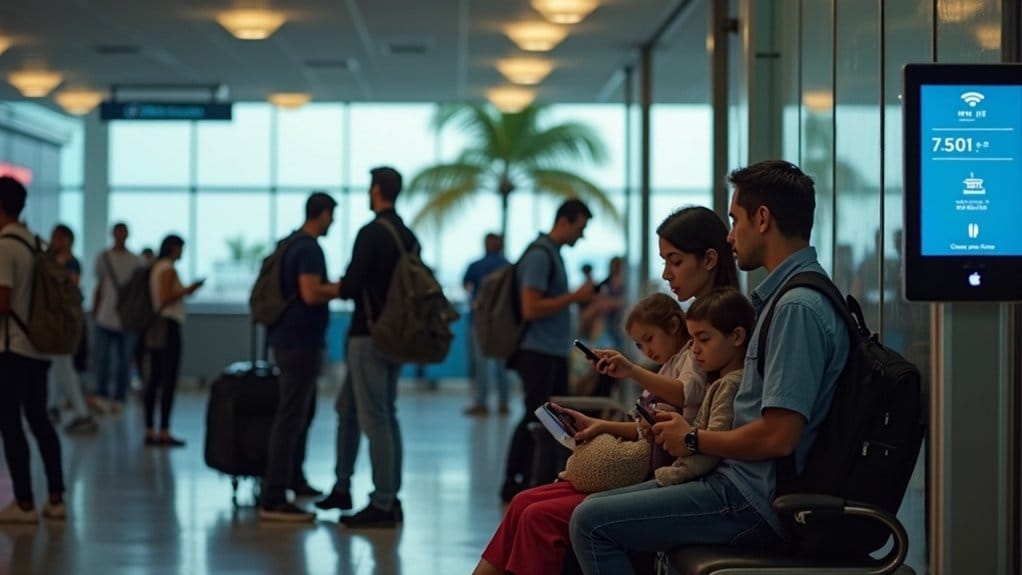
Miami Airport offers free Wi-Fi, but it’s important for travelers to be aware of its limitations. The airport’s Wi-Fi requires you to reconnect every 45 minutes. This policy is in place because the service is ad-supported, meaning you’ll need to view an advertisement each time you log back in.
For those with short layovers or who just need to check emails, this setup can be quite manageable. It allows you to check flight status or browse the web without much disruption. However, if you find yourself waiting for an extended period or need to make video calls, the frequent interruptions can be inconvenient.
When you need to reconnect, look out for the welcome page. If it doesn’t appear, refreshing your browser should prompt the login screen.
For travelers who prefer seamless connectivity without interruptions, Miami Airport offers paid options. You can choose between standard and premium plans for $4.95 and $7.95, respectively, which provide uninterrupted access.
Understanding these Wi-Fi rules at Miami Airport can help you plan better and stay connected during your travels. Whether you opt for the free service or choose a paid plan, being informed about your options ensures a smoother experience.
Should You Pay for Faster Wi-Fi? Standard vs. Premium Explained
When navigating Miami Airport, you may find yourself questioning whether the paid Wi-Fi options are worth the investment. There are two main choices: standard service for $4.95 and premium service for $7.95.
The standard service offers basic browsing capabilities, though it includes advertisements and may lead to frequent disconnections. While this may suffice for quick tasks, such as checking emails, it mightn’t meet the needs of all travelers.
On the other hand, the premium service provides faster speeds and a more reliable connection, which many users find beneficial, especially for video calls or streaming content during layovers. The $3 difference can be negligible if you require uninterrupted service.
Ultimately, the decision to pay for faster Wi-Fi should be based on your specific needs. If your tasks are minimal, the free option might be adequate.
However, for those working remotely or needing consistent connectivity, investing in premium Wi-Fi can significantly enhance your airport experience, making it more efficient and less frustrating.
Which Airline Lounges Offer Private Wi-Fi Networks?

If you’re looking to escape the hustle and bustle of the Miami airport terminal and enhance your internet experience during a layover, consider accessing airline lounges that offer private Wi-Fi networks.
These lounges typically provide a more reliable and faster connection compared to the general airport Wi-Fi, which can be slow and congested.
Most lounges at Miami International Airport provide complimentary internet access to their guests, but the quality of that access can vary.
In these quieter environments, where fewer users are connected, you can often expect significantly better speeds. Notably, American Airlines’ Admirals Club, Delta Sky Club, and United Club all feature dedicated Wi-Fi networks designed to support a smooth online experience.
However, it’s important to note that access to these lounges usually requires either a membership or a ticket upgrade.
Before deciding to invest, take a moment to review each lounge’s specific offerings. Some lounges may reserve premium services for their highest-tier members, while others offer wider access to all visitors.
If you frequently work remotely or enjoy streaming content during longer layovers, the investment in lounge access can be worthwhile.
Not only will you enjoy a more comfortable environment, but you’ll also benefit from a reliable internet connection that allows you to stay productive or entertained.
Where You Can’t Access Free Wi-Fi at Miami Airport
Understanding where free Wi-Fi is accessible at Miami Airport is essential for a seamless travel experience. While the airport offers complimentary Wi-Fi, there are specific areas where connectivity is limited or nonexistent.
For instance, once you step outside to the parking lots, you’ll lose access to the internet entirely, as the Wi-Fi coverage ends at the terminal doors. Additionally, the drop-off and pick-up zones don’t provide service, which can be inconvenient for both passengers and their greeters during busy arrival times.
Inside the terminals, certain secure areas beyond the TSA checkpoints may also experience weak or no coverage. This can be frustrating when you’re already past security and need to stay connected.
It’s also important to note that private airline lounges operate on their own networks, meaning the airport’s free Wi-Fi won’t function there.
Even in areas where Wi-Fi is available, be prepared for reconnection prompts every 45 minutes due to advertising policies. This frequent interruption can be particularly annoying in places where you might be waiting for an extended period.
Non-Airport Alternatives if Miami’s Wi-Fi Doesn’t Meet Your Needs

If you find that Miami Airport’s free Wi-Fi doesn’t meet your connectivity needs, there are several reliable alternatives to ensure you stay connected during your travels.
One effective option is a prepaid eSIM, such as Holafly. This service provides instant access to local cellular networks, allowing you to bypass the often unreliable airport Wi-Fi.
With flexible plans starting at around $4.45 for 1 GB over 30 days, a prepaid eSIM is an excellent choice for essential tasks like accessing maps and translation services.
Local SIM cards are also available for purchase at airport kiosks and InMotion stores. These cards come with various data plans and typically offer more reliable internet access compared to shared public networks, making them a solid option for travelers who need consistent connectivity.
Another practical solution is renting a pocket Wi-Fi device. These portable hotspots usually cost between $7 and $10 daily and can connect multiple devices at once, making them ideal for groups traveling together.
International roaming can be considered as well, but it’s generally the most expensive option. Before activating this service, be sure to check your provider’s rates to avoid unexpected charges.